ReleasesDownload
v0.1.3·
Gaze 0.1.3
Gaze.dmg
95 MB · macOS
What's new
Setup
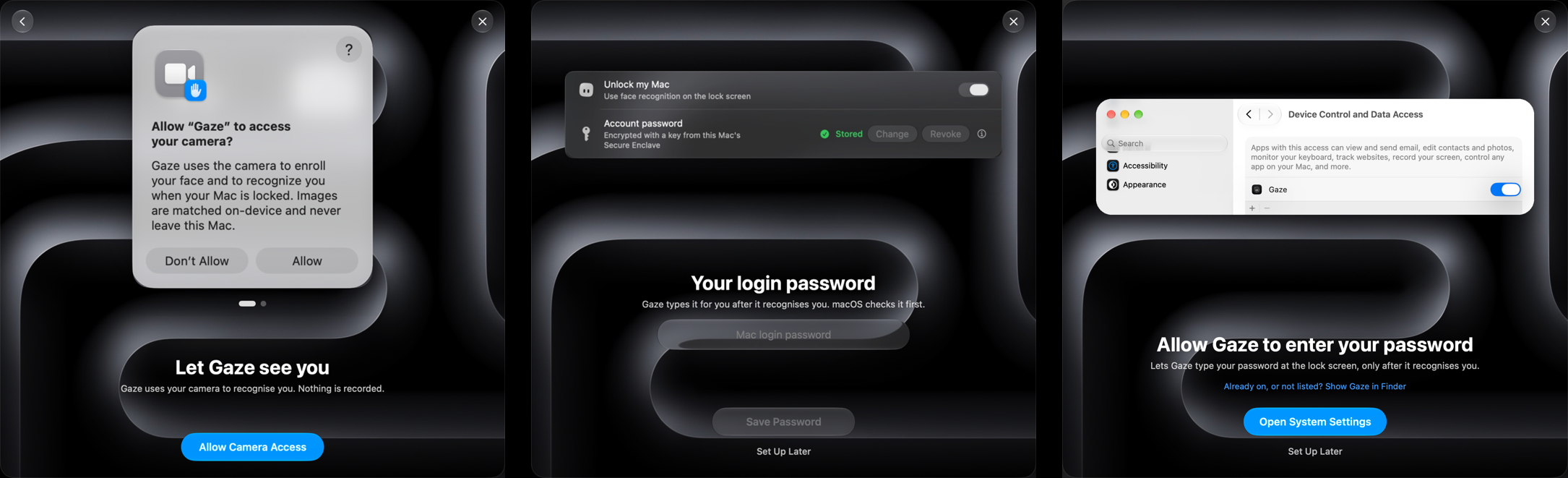
- Every setup page now matches the welcome tour, with real screens from macOS and Gaze.
- The face scan fills the whole circle before it finishes.
- Changing your password or reviewing access in Settings opens just that page, not the tour.
Unlocking
- Gaze no longer mistakes a door, window or someone's head for a phone held up to the camera.
- Touch ID now asks plainly, for example "Gaze is trying to add a face."
Test Recognition
- Recognition details shows why a frame wasn't recognised.
Install
Download Gaze.dmg and drag Gaze to Applications, update from Gaze Settings, or run:
brew upgrade --cask gaze
The first time you open Gaze, go to System Settings > Privacy & Security and click Open Anyway.