ReleasesDownload
v0.1.9·
Gaze 0.1.9
Gaze.dmg
98 MB · macOS
What's new
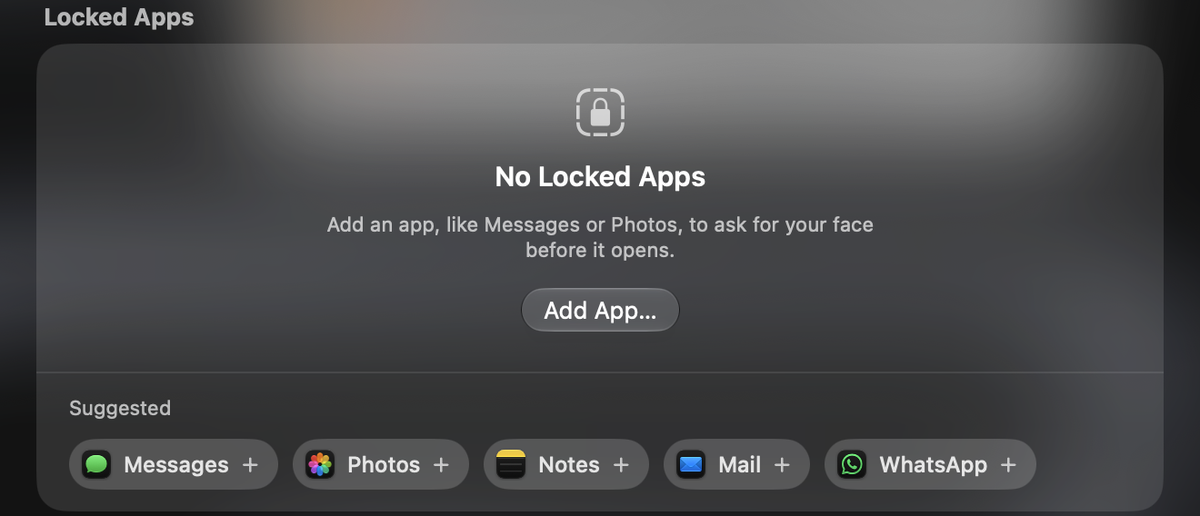
App Lock
- Choose apps that only open for your face. Everyone else needs your password.
- The lock covers just the app's window and follows it as you move it.
- Right-click an app in Finder and choose Lock with Gaze.
- Turning App Lock off or removing an app asks for Touch ID or your password.
Unlocking
- Unlocks are faster, most of all with movements set to None.
- Choose which movements Gaze can ask for.
- New movement: Follow the light. Follow a light on the screen with your eyes.
- The screen stays on while Gaze is looking, and Gaze no longer turns the camera on under the screen saver.
Settings
- Detection distance lets Gaze recognise you from closer or further away.
- Unlock Attempts shows recent tries, how long each took, and a photo of anyone who couldn't get in, if you turn that on.
- Hide the menu bar icon with Show in menu bar.
- Liquid Glass is clearer, and the Floating panel has a new look.
- Gaze uses less memory when it's idle.
Thanks
- Unxnown, for asking for App Lock.
- Ahmed, for detection distance, the menu bar switch and attempt photos.
- Anthony2317, for reporting the camera turning on under the screen saver.
- Danny, for the Liquid Glass design.
- british vanilla, for the idea of an eye movement.
Install
Download Gaze.dmg and drag Gaze to Applications, update from Gaze Settings, or run:
brew upgrade --cask gaze
The first time you open Gaze, go to System Settings > Privacy & Security and click Open Anyway.