At the lock screen
Gaze checks your face, then guides you through the configured movement prompts.
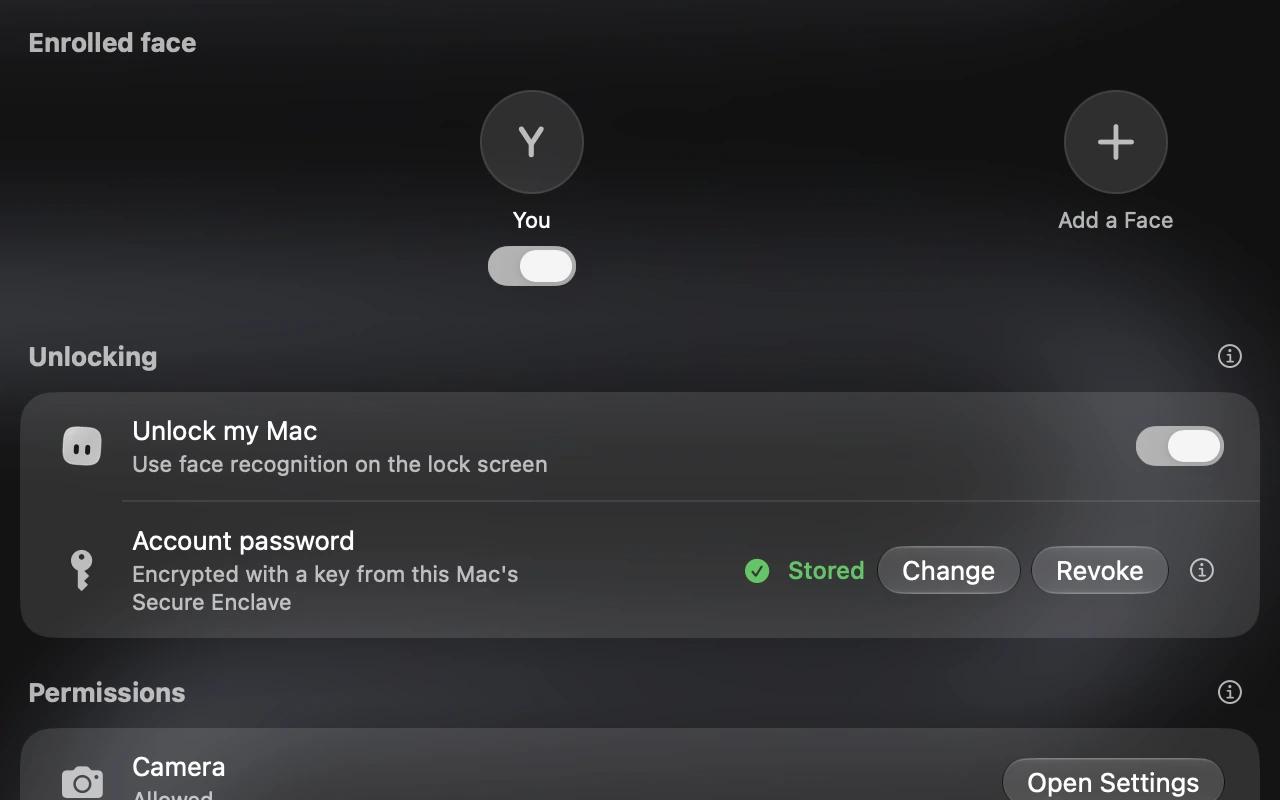
Recognition runs on your Mac (face data never leaves it), with movement prompts before automatic unlocking, which stays off unless you turn it on.
Gaze checks your face, then guides you through the configured movement prompts.
Use recognition-only mode, or enable automatic unlocking after reviewing camera and Accessibility access.
Open the movement guide to learn the prompts with the camera off.
Before it unlocks, Gaze can ask for one or two quick movements: turn, nod, blink or open your mouth.
Every enrolled face unlocks the same macOS account.
Choose Solid, Frosted glass or Liquid Glass, and set how much of your wallpaper shows through.
Face measurements are encrypted with a key held in this Mac’s Secure Enclave. Nothing is uploaded.
If you turn on automatic unlocking, Gaze keeps an encrypted copy of your password on this Mac so it can type it for you.
Gaze uses a regular camera, not Face ID. A photograph may fool it.
Read about security ›Recognition runs on your Mac, with no account and no connection needed.
Your usual ways of signing in keep working.
On Macs without one, the panel sits at the top of the screen. A built-in camera is required.