ReleasesDownload
v0.1.8·
Gaze 0.1.8
Gaze.dmg
96 MB · macOS
What's new
Unlocking
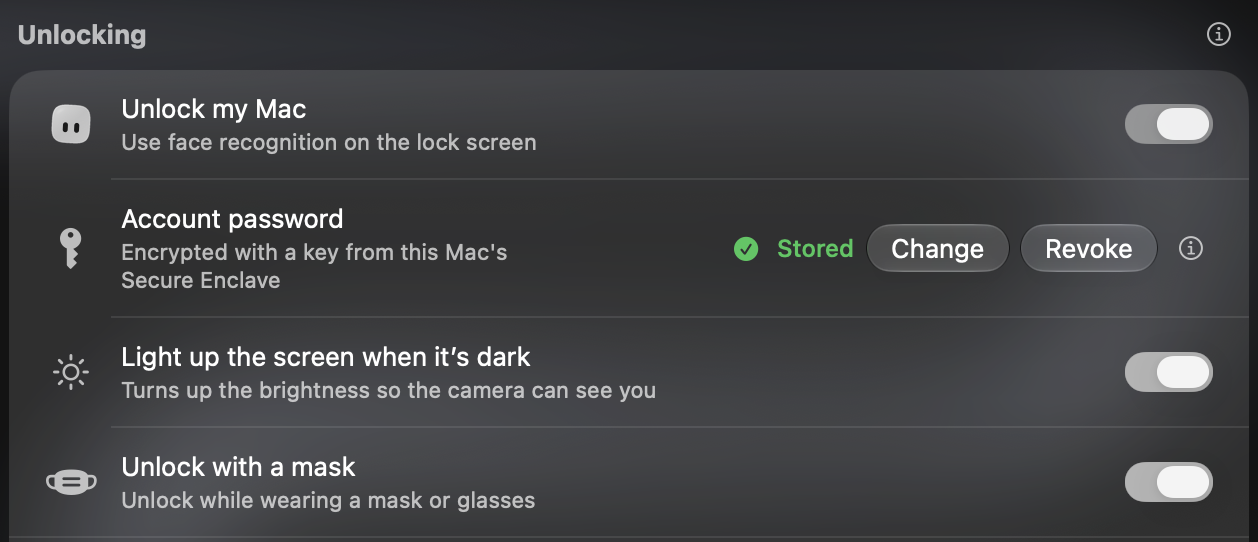
- Unlocks are quicker, especially right after you open the lid.
- Gaze learns your face as you use it, so it gets more reliable over time.
Dark rooms
- When it's too dark to see you, the screen lights its edges and turns up the brightness.
- Your brightness goes back to how it was as soon as you're in.
- Turn it off in Settings > Unlock.
Masks
- Unlock with a mask lets Gaze recognise you while you wear a mask or glasses.
- Turn it on in Settings > Unlock, with a movement check on. Faces scanned before this update need a new scan.
Install
Download Gaze.dmg and drag Gaze to Applications, update from Gaze Settings, or run:
brew upgrade --cask gaze
The first time you open Gaze, go to System Settings > Privacy & Security and click Open Anyway.