ReleasesDownload
v0.1.11·
Gaze 0.1.11
Gaze.dmg
93 MB · macOS
What's new
Approvals
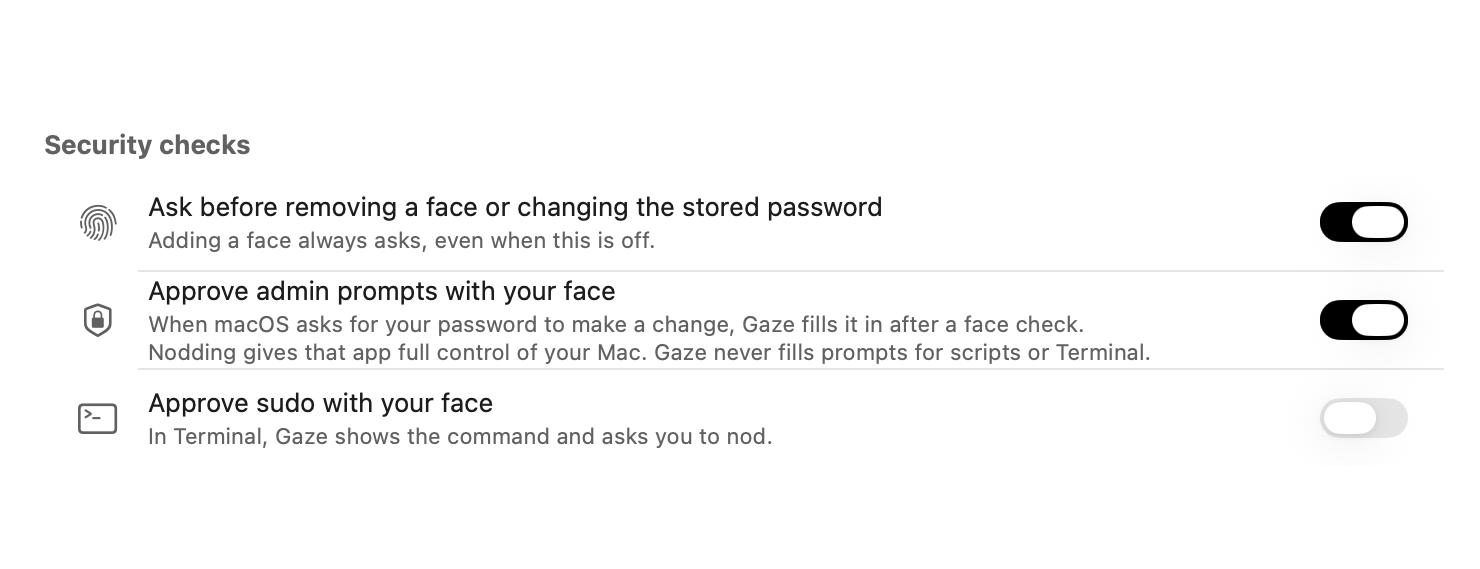
- Approve admin prompts: when macOS asks for your password to make changes, look at the camera and nod. Gaze shows which app is asking, where it lives and who made it before you agree. It's off until you turn it on.
- Approve sudo: run sudo in Terminal with your face and a nod. Gaze shows the command first.
- A new Shortcuts action, Confirm Identity, continues a shortcut only after your face and a nod.
Unlocking
- Nodding works reliably. Lowering your chin no longer restarts the check.
- Follow the light says what to do before the light moves, fills a ring as you follow it, and shows a tick when it's done. With Reduce Motion on, Gaze asks for a different movement.
- A stronger check against photos and screens held up to the camera.
- Gaze asks for Input Monitoring, which pressing Space to try again on the lock screen needs.
Notices
- If someone else tried to unlock your Mac, Gaze tells you the next time you're back.
- If your saved password stops working, Gaze tells you once instead of going quiet.
- Unlock Attempts starts with a summary of the past week and a tip when something needs changing.
- Save Diagnostics makes one file you can send when unlocking isn't working. It never includes your password or photos.
Design
- Approval panels use Liquid Glass.
Thanks
- Jonathan Zhou, for the nod and Follow the light problems.
- Rafael Reverberi, for asking for admin prompts with your face.
Install
Download Gaze.dmg and drag Gaze to Applications, update from Gaze Settings, or run:
brew upgrade --cask gaze
The first time you open Gaze, go to System Settings > Privacy & Security and click Open Anyway.